


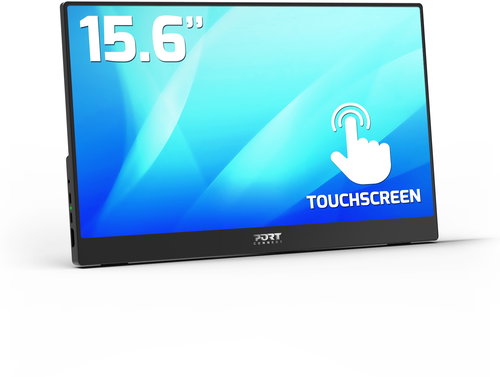
15.6" PORT CONNECT Nomad TouchScreen


- Reviews 1
- Help and manuals
- Specifications
- Photos & Videos 11
- Alternatives 7
- Accessories and suggested products

15.6" PORT CONNECT Nomad TouchScreen
The compact 15.6" PORT LCD monitor with a standard Full HD (1920 × 1080) resolution is ideal for working with office applications, writing emails and browsing for information. With its IPS panel, you get excellent colour reproduction and the image remains of the same quality even when you change the viewing angle. This can be used effectively when preparing documents for printing or creating presentations. The matt surface of the display minimises reflections from room lighting and helps block light from the window. Thanks to the standard 16:9 aspect ratio, you can open two document windows side by side and work with them efficiently if needed. The IPS panel is illuminated by LEDs. A maximum brightness of 250cd/m² is intended for working in places protected from direct sunlight and is also suitable for rooms that are not too brightly lit.
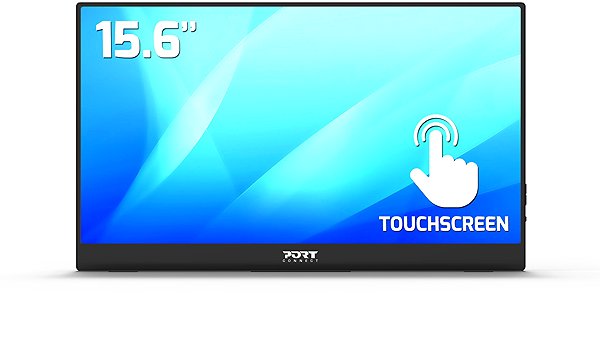
Key Features of the 15.6" PORT CONNECT Nomad TouchScreen Monitor
- Work efficiently with this 15.6" PORT LCD monitor with Full HD (1920 × 1080) resolution
- It uses an IPS panel to display colours with a refresh rate of up to 60Hz and a response time of 5ms
- The display with a matt surface prevents glare and reduces eye strain
- The standard 16:9 format gives you accurate image reproduction
- The monitor features LED backlighting and 8-bit colour depth
- A maximum brightness of 250cd/m² is designed for working out of the sun and in rooms that are not too brightly lit
- Monitor with a flat design
The PORT monitor boasts interesting properties and features
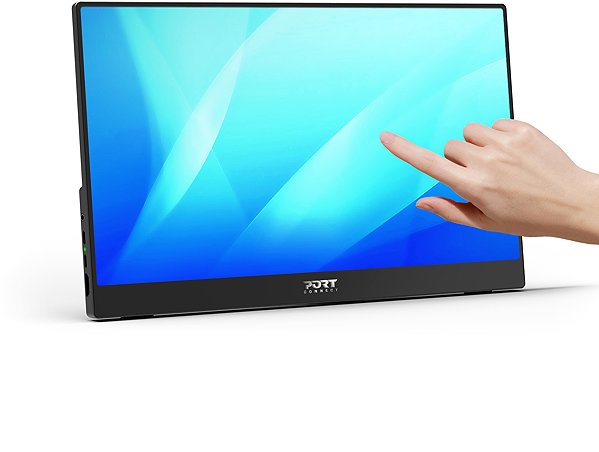
The 15.6" IPS PC monitor has a flat design that makes it easy to use several monitors at the same time. Thanks to the touchscreen, you can write, perform graphic activities directly on the display without the need for a keyboard or mouse, and also draw as if on paper. The HDR function renders far more detail with better colour reproduction similar to what the human eye sees. Among the great features is the fast charging option using Power Delivery technology via USB-C, which allows you to charge your tablet, wireless headphones, smartwatch, smaller laptop, smartphone or other small electronics with a power of up to 65W. In addition, Power Delivery provides safety by ensuring that the device receives only the necessary amount of electrical energy and will not be overcharged. You can tilt the monitor so that its top side corresponds to eye level, helping to maintain correct body posture, thus saving your cervical spine and preventing scoliosis. The ability to tilt the monitor will be particularly appreciated by people who stand at their desk while working.
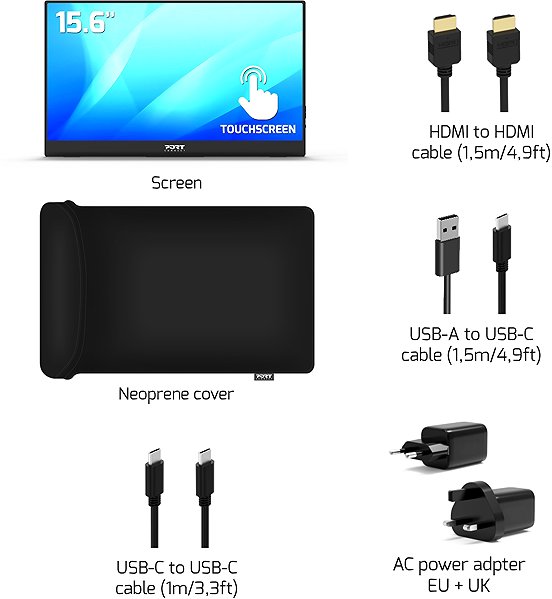
The PORT monitor will pleasantly surprise you with its equipment
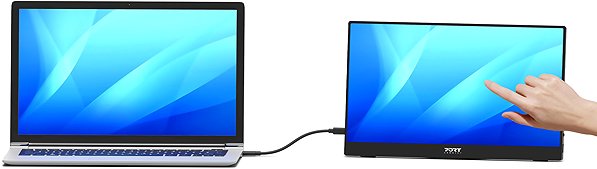
To connect a laptop or computer to the monitor, you can use HDMI and USB-C. By connecting the device via the integrated USB-C, you will not only ensure image transmission, but thanks to the Power Delivery function, you can also power your laptop without the need for a classic mains charger. The built-in speakers offer a convenient solution for sound and vision in one device. In addition to the monitor itself, the package also includes an HDMI, USB-C, USB-A and mains cable.
Choose a monitor according to colour depth and native contrast
Colour depth determines the variety of colours a monitor can display. For example, a 6-bit monitor can display almost three hundred thousand colours, while a 10-bit monitor can display more than a billion colours. A higher colour depth allows for the display of finer shades of colour and ensures a more realistic and vivid rendering. The colour depth of the offered monitor is 8 bits. The PORT monitor provides a native contrast of 800:1. The native contrast ratio characterises the difference between the brightest and darkest point that a monitor can display. If a monitor's contrast ratio is 3000:1, it means that the brightest point (white) is 3000× brighter than the darkest point (black). Better detail resolution in dark and light areas of the image is the result of a higher native contrast. A native contrast of up to 1000:1 is suitable mainly for office purposes, while a ratio up to 2000:1 is appreciated for gaming and watching films. A value above 2000:1 is characteristic of monitors for graphic designers and video editing.
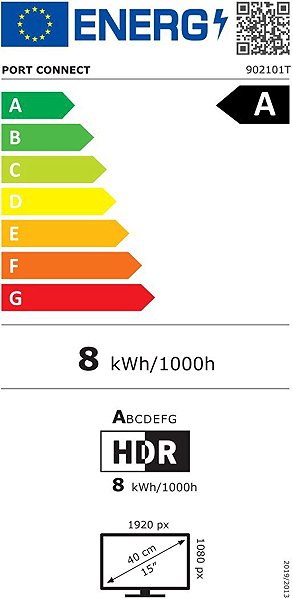
Data stated on the monitor's energy label:
- The manufacturer and model of the monitor are listed in the header
- The scale of energy classes (left), the specific energy class of the product (right)
- kWh/1000h: energy consumption in kilowatt-hours per 1,000 hours of operation
- SDR kWh/1000h: energy consumption in SDR mode in kilowatt-hours per 1,000 hours of operation
- HDR kWh/1000h: energy consumption in HDR mode in kilowatt-hours per 1,000 hours of operation
- Pixels: vertical and horizontal display resolution (1920 × 1080 px)
- Units in inches and centimetres: screen screen size
__________________________________________________________________
After scanning the QR code, you will be redirected to the European EPREL database, where the display type, the technology used in its production (e.g. LCD, QLED) and other monitor specifications will be displayed.
screen size:
15.6"
Graphics interface:
HDMI and USB-C
Graphics interface standards:
HDMI 1.4
Energy class in SDR mode:
A
Consumption in SDR mode:
8 kWh/1000h
Energy class in HDR mode:
A
Consumption in HDR mode:
8 kWh/1000h
Maximum consumption:
65W
Dimensions:
21.5 × 35.7 × 1.2cm (H×W×D)
Weight:
0.59kg
Specifications
Display diagonal and resolution
Construction
Panel and screen technology
Aspect Ratio
Backlight and colour
Connection
Features and functions
Colour
Dimensions and weight
Packaging
Energy specifications
PORT EUROPE SAS, 7A RUE DE CHERBOURG, STRASBOURG, 67100 France, [email protected]
Specifications can be changed without notice. Images are for illustrative purposes only.
