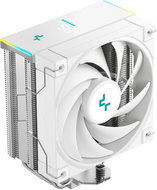
Reviews DeepCool AK400 DIGITAL SE WH
Interested in reviews of DeepCool AK400 DIGITAL SE WH? It got 5.0 out of 5 stars from our customers. Find specific customer reviews of DeepCool AK400 DIGITAL SE WH below. We will appreciate if you also share your experiences with DeepCool AK400 DIGITAL SE WH after purchasing.
User Reviews

Customer, Vysoký újezd
Rated 21/10/2026, variant DeepCool AK400 DIGITAL SE WH
Verified purchase
Fairly easy installation and for £21 (approx. 630 CZK) with a display, it is a very good price. For the display to work, you need to download the DeepCool DeepCreative software and enable auto-launch for this software in Windows, and I recommend setting the fan RPM.
Quiet
Display
Soft: DeepCool DeepCreative
Fairly easy installation
Temperatures: in CS2 it was up to 55°C (Tested on Ryzen 5 5600XT)
Watch out for the dimensions! I was left with only 3mm.
Pre-applied thermal paste,
there are only little dots there and it doesn't look like there's enough of the paste, so I recommend buying/using your own.
Quite heavy (I think over a kilo)


0 ×Report
Automatic translation
Martin, Luka nad Jihlavou
Rated 26/09/2026, variant DeepCool AK400 DIGITAL SE WH
Verified purchase
You have to connect all three connectors – the classic four-pin from the fan to get it to spin, the USB to get the display to work, and the aRGB to get it to light up – it's a 3-pin. Be careful not to plug the aRGB connector into the one marked 12V, but the one marked 5V. It looks great, the display frame has a subtle glow, but the fan itself isn't backlit. Anyone who wants a lit-up fan will have to buy an extra one, but I don't mind, it looks very subtle this way, see the attached photo.
The white finish is elegant
shows CPU temperature and utilisation in %
easy assembly
Cools a Ryzen 7 5700x
Simple to download the control software.
The display only started showing values after a restart, so don't be alarmed.
The ARGB cable is short, the manufacturer expected the connector to be next to the CPU, but my motherboard has it at the bottom, so the cable is running across the motherboard which ruins the look. I'll get an adapter and hide it behind the motherboard.


0 ×Report
Automatic translation