


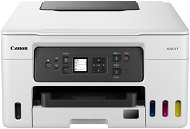
Reviews Canon MAXIFY GX3040
Interested in reviews of Canon MAXIFY GX3040? It got 4.8 out of 5 stars from our customers. Find specific customer reviews of Canon MAXIFY GX3040 below. We will appreciate if you also share your experiences with Canon MAXIFY GX3040 after purchasing.
User Reviews

Miroslav, Teplice
Rated 14/10/2025, variant Canon MAXIFY GX3040
Verified purchase
Just starting to use it, so far satisfied.
The ink is topped up and each colour separately - saving
Higher ink price
0 ×Report
Automatic translation

Tibor, Třebechovice pod Orebem
Rated 09/08/2025, variant Canon MAXIFY GX3040
Verified purchase
I bought used and it still works great, I just bought it a lot cheaper. I use printing only via Wifi and no problem.
Works reliably
Prints pretty fast
Paper tray
I definitely recommend
When you turn it on for the first print, it is sometimes quite slow.
0 ×Report
Automatic translation

Jiří, Praha 10
Rated 20/07/2025, variant Canon MAXIFY GX3040
Verified purchase
I have been using Canon inkjet printers for at least 25 years. I have experience with Epson and HP as well, but Canon leads in print setup. I'm happy with the scanner as well. It's not as sharp as the pro scanner I have, but 150 DPI is readable enough and 200 DPI is excellent.
two feeders, one with plain paper and one with one side printed with concepts. Simply select which one to print to in the driver
The controller and settings are very intuitive, it is easy to save several presets. The Epson has a completely chaotic presetting setup compared to the Canon.
Tank ink system
Prints and scans at an acceptable speed for such an inexpensive printer
It is possible to buy and replace the waste tray yourself without service
Decent quality photo print, (Of course on photo paper. On office paper the photos are not contrasting because the ink is spread)
Scans are sharp enough even at 150 DPI
Survives intensive office printing without problems
no cons for me
0 ×Report
Automatic translation
