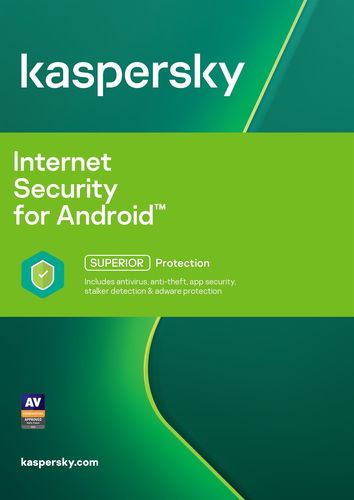
Kaspersky Internet Security for Android for 1 phone or tablet for 12 months, new license
4.761 ratings
Internet Security - Kaspersky Internet Security for Android intended for 1 device(s), subscription lasts 12 months, subscription, install through download (electronically), appropriate for households, intended for mobile device, compatible with Android operating system(s), restricted geographically to only in the EU, license key can be found in: "My Library" - "License"
Kaspersky Internet Security for Android for 1 phone or tablet for 12 months, new licenseDiscontinued
Kaspersky Internet Security for Android for 1 phone or tablet for 12 months, new license
The product requires an up-to-date operating system.
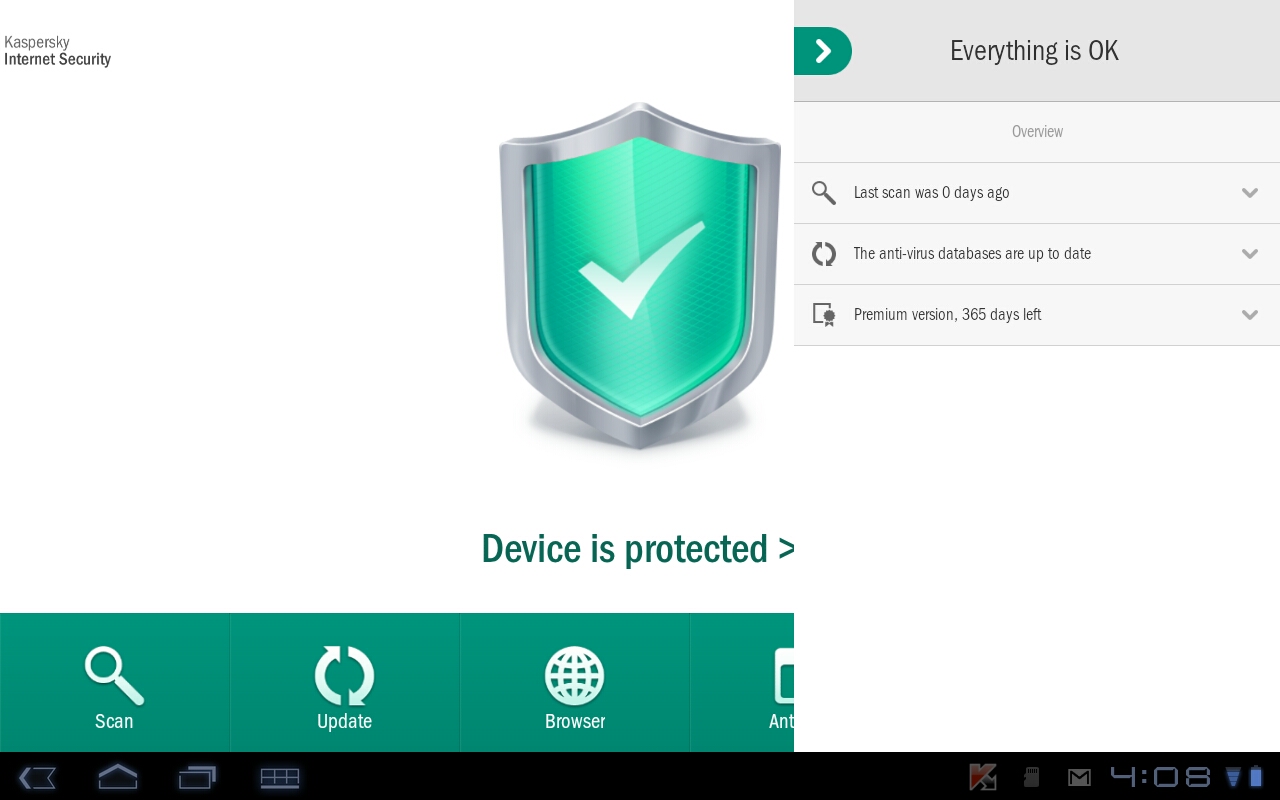
Kaspersky Internet Security for Android delivers antivirus protection for smartphones and tablets running Android. Kaspersky’s cloud-based antivirus technology provides a real-time protection against all the Internet threats. Moreover, the app runs in the background, smartly analysing the data in small doses so that it doesn’t take much of your device’s performance. This electronic license contains a one-year-license for one mobile device.
The knight
Application has complex defence elements.
Malware protection, antivirus technology for Android.
Web protection prevents phishing and Internet attacks.
Anti-theft protection with remote access to the device.
Privacy - adjust according to your security needs.
Filter - receive only the calls and messages that you want.
Always at the ready
Kapersky’s cloud-based antivirus technology allows them to provide real-time protection even against the latest Internet threats. The software also automatically scans all downloaded and installed apps.
Stay in control
As you can manage your data remotely via a web interface, you don’t need to worry about them being misused if an unauthorised person gets hold of your phone or tablet.
Tracking Locating your device using GPS, Wi-Fi and Google Maps.
Deleting Wiping files and personal data remotely.
Alarm Activating alarm on a lost device.
Identification Taking and sending a picture of the unauthorised user.
Keep your data safe
With Kaspersky Internet Security for Android, you don’t have to be nervous about lending your phone to someone else anymore as you can easily hide all that’s meant for your eyes only, such as contacts, messages or files. And when you get the phone back, one click is all that you need to do to get it back to its original state.
Kaspersky Internet Security for Android - Features
Comprehensive malware scanning
Protects your online identity
Manage your device remotely in case it was lost or stolen
Deny access to the Android smartphone or tablet remotely
Determine the approximate location of the device - using GPS, GSM or Wi-Fi
Download the trial version of Kaspersky Internet Security for Android here.
Minimum system requirements: Android 2.3 and higher Minimal screen resolution: 320 × 480 px
Specifications
Designation
For households
SW type
Antivirus
SW type
Kaspersky Internet Security for Android
Licence key delivery
Alza - Library
Licence type
Digital licence
Basic parameters
Designation
For households
SW type
Antivirus
SW type
Kaspersky Internet Security for Android
Licence key delivery
Alza - Library
License type
Licence type
Digital licence
Redeeming licence
The license key can be redeemed within 24 months of purchase
Software type
Software type
Internet Security
License
Method of licensing
Subscription
Number of devices
1
Mobile device number
1
Number of PC/MACs
0
Subscription length (in months)
12 months
Geographical limitations of activation
Only in the EU
Compatibility
Device type
Mobile device
Operating system
Android
Installation method
Download (electronically)
Language version
Language Version
All EU languages
More Specifications
How to install:
Dear Customer, you have obtained an electronic licence for Kaspersky security software
If you want to use the application in English, please use the installation file available here: https://www.kaspersky.com/home-security#pcity-trialspersky.cz/#internet-security-trial
Select the version and click on "Free Trial", then choose your platform (Windows, MAC, Android)
After the installation is complete, enter the Activation Code listed below into the application
How to install Kaspersky Internet Security on your device from Google Play:
Open the Google Play app on your device
Locate the Kaspersky Internet Security app
On the app detail page, click the Install button
Note:
Specifications can be changed without notice. Images are for illustrative purposes only.
Try our cookiesAlza.cz a. s., Company identification number 27082440, use cookies and other data to ensure the proper functioning of the website and, with your consent, also, among other things, to personalize advertising and the content of our websites. By clicking on the “I understand“ button, you agree to the use of cookies and the transfer of data regarding the behavior on the website for displaying targeted advertising on social networks and advertising networks on other websites.
We use 8 categories of cookies on our website:
Technical cookies
These are strictly necessary for the functioning of the website and the features you choose to use. Without them, our website would not work; you wouldn't be able to log in to your user account, for example.
Functionality cookies
These cookies allow us to remember your basic choices and improve the user experience. These include remembering your preferred language or allowing you to stay logged in permanently.
Social media cookies
These cookies allow us to easily link you to your social media profile and, for example, allow you to share products and services with your friends and family.
Content personalisation
These cookies allow us to show you content and ads according to the information we have about you to best meet your needs. This includes what content you have viewed, or on what device you are accessing our website.
Non-personalised advertising
These cookies allow us to show you general ads for products and services.
Personalised advertising
Thanks to these cookies, we and our partners can offer you relevant products and services based on your purchases, your shopping behaviour and your preferences.
Audience metrics
These cookies allow us to optimise our site for your convenience based on how you use it. The aim is to remember or anticipate your choices. This includes, for example, the use of features, their location, or the behaviour on the page.
By giving your consent to the processing of cookies, functionality and analytical cookies will be installed on the device you use to browse the website (click on the "I understand" button for both categories, or you can select only one of the categories by clicking on the "Settings" button). We always install technical cookies on your device, even without your explicit consent, because without them our website would simply not work.
You can revoke your consent to the processing of cookies. In connection with our company's cookie processing, you also have the following rights: the right to access cookies, delete, modify, supplement and correct them, restrict processing and the right to lodge a complaint with the Office for Personal Data Protection. Read more about your rights.