


Insta360 Wave Y-Cable and Power Adapter


Insta360 Wave Y-Cable and Power Adapter
Accessories for Insta360 Wave Y-Cable and Power Adapter
Y-cable with power adapter for Insta360 Wave provides continuous power to the device and simultaneous connection to a computer for stable operation in conference and meeting environments. The 3.1m soft cable allows flexible installation routing, clean cabling and easy integration into workspaces without distractions. The integrated USB-C port supports both power and data transfer simultaneously, allowing the device to be fully functional when permanently connected to a PC. The package includes a power adapter and multiple types of terminals according to regional standards, ensuring universal use in various installations. The entire solution is designed for stable, uninterrupted operation of the Insta360 Wave without interruptions and the need for frequent reconnections.

Key Features of the Insta360 Wave Y-Cable and Power Adapter
- Continuous power supply for Insta360 Wave
- 3.1m soft cable for easy routing and clean installation
- Suitable for use in conference and meeting rooms
- Different types of power terminals according to region
- Integrated USB-C port for PC connectivity
- Simultaneous power and data transfer via one cable
- Stable operation without interruptions during use
- Includes power adapter and cable solution for installation
Y-cable with power adapter for Insta360 Wave
The Y-cable for Insta360 Wave provides stable and continuous power to the device in combination with a connection to a computer, enabling reliable operation in office and conference environments.

One cable, full power supply
Smart Y-connection allows simultaneous power and device connection without interruptions, so Insta360 Wave stays up and running throughout meetings.

Clear and clean solution
One cable solution replaces multiple adapters and minimizes clutter, helping to keep your workspace clean and professionally organized.

Compact and lightweight design
The power adapter and connectors are designed to be compact and easily removable, with regard to regional power standards for universal use.

3.1m flexible cable
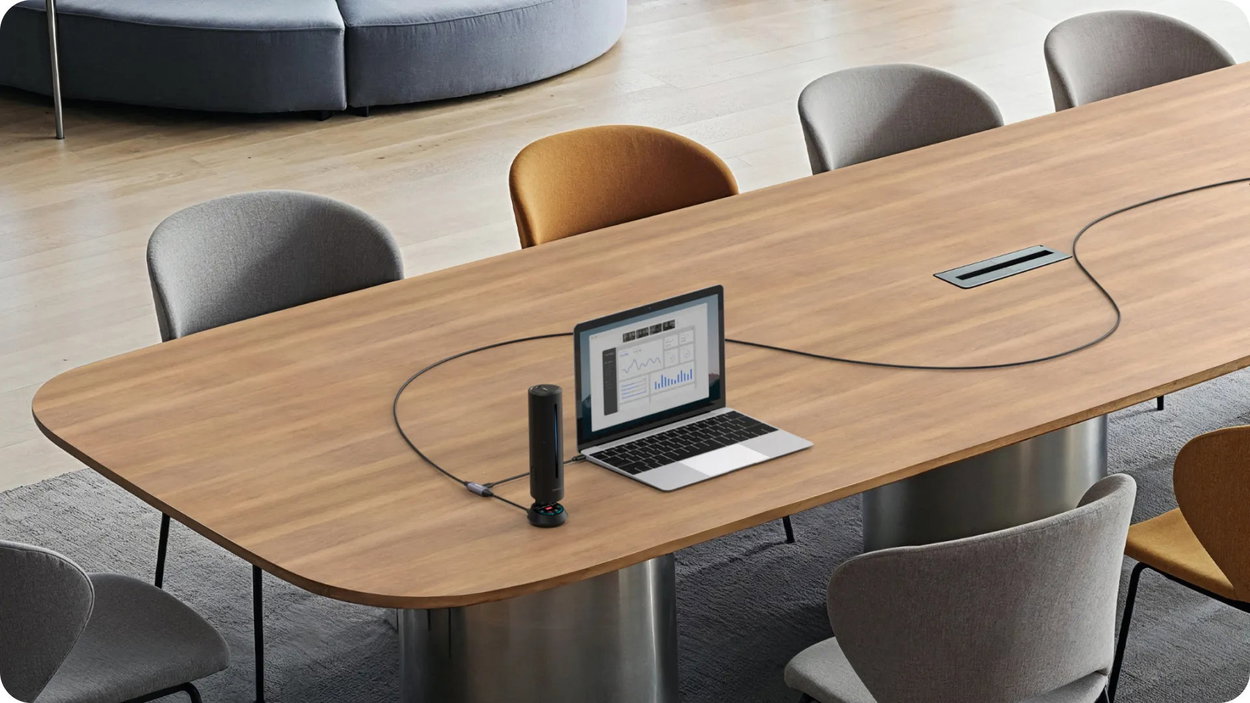
The soft and flexible cable length of 3.1 m allows easy routing on the table and in installations, adheres well to surfaces and facilitates the organisation of cabling in the room.

Manual
- For continuous power, connect the end of the Y-cable further away from the dedicated port to the power adapter and the end closer to the port to the Insta360 Wave.
- Use the dedicated USB-C port on the Wave to connect to a computer.
Important notes on use
Do not use the Y-cable to power the laptop. When connecting the Y-cable, it is necessary to observe the correct orientation and connection methour The end of the cable further away from the dedicated port is used for the power adapter, while the end closer to the port connects to the Insta360 Wave. If the connection is reversed, the device will not be charged. To connect your computer to the Wave while charging, use the USB-C cable through the dedicated port. If the wiring between the computer and the Wave is swapped, the data transfer will not work.
Package contents and parameters
- 1× Y-cable
- 1× power adapter
Technical parameters
- Power Adapter Specifications
- Maximum performance: 33 W
- Input: 100-240 V ~ 0.8 A, 50-60 Hz
- Output:
- 5 V / 3 A (15 W)
- 9 V / 3 A (27 W)
- 12 V / 2.5 A (30 WATT)
- 15 V/2 A (30 WATT)
- 20V / 1.5A (30W)
- 33 W max
- Weight: 44 g (1.5 oz)
- Dimensions: 31 × 32 × 34 mm (1.22 × 1.26 × 1.34 in)
- Y-cable specifications
- Inputs: 9 V / 2.2 A and 5 V / 3 A
- Output: 9 V / 2.2 A or 5 V / 3 A
- Length: 3100 ± 5 mm
- Cable diameter: 4 ± 0.1 mm
- Material: silicone
Specifications
Compatibility
Specifications can be changed without notice. Images are for illustrative purposes only.
