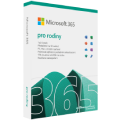
CRM DEALinTEAL Complete na 12 měsíců (elektronická licence)Discontinued
CRM DEALinTEAL Complete na 12 měsíců (elektronická licence)
The product requires an up-to-date operating system.
The electronic CRM software DEALinTEAL brings you a complete overview of your customers, business opportunities, activities, tasks, reportech, charts and other information. CRM DEALinTEAL works in the cloud. Now you can access your information from anywhere. It can be used both on the web and on your mobile phone. CRM DEALinTEAL can also synchronize contacts, emails or calendars with Office 365.
Key features of CRM DEALinTEAL complete version for 12 months
CRM DEALinTEAL is a complete customer and contact management
Get a comprehensive overview of your customer communication history
Allows you to schedule meetings and negotiations
Maintains records of sales opportunities
CRM DEALinTEAL provides comprehensive reports
CRM DEALinTEAL monitors and reports as an executive assistant
CRM DEALinTEAL provides a comprehensive view of the company with information in one place. Use it to attract new customers and retain existing ones. It will always give you reports on business activities, alert you to drops in sales and so on. CRM DEALinTEAL looks after the business opportunities for you at all stages of the sales process. It will allow you to manage your daily agenda, you will have an overview of activities from past sales, which you can use for further planning. Business meetings, phone calls and emails can all be in one place. Comprehensive outputs, reports and graphs are a matter of course.
Complete version includes: Contacts, companies and persons Customer segments Products Product groups Activities - events, tasks Campaigns Contracts Business opportunities and pipeline Reports and charts ERP API Office365 connect DEALinTEAL Complete app, cloud, 24×7 availability Data volume up to 500 MB * number of users Helpdesk 8×5
Specifications
Designation
For businesses
SW type
Office app
Licence key delivery
Alza - Library
Licence type
Digital licence
Redeeming licence
The license key can be redeemed within 24 months of purchase
Basic parameters
Designation
For businesses
SW type
Office app
Licence key delivery
Alza - Library
License type
Licence type
Digital licence
Redeeming licence
The license key can be redeemed within 24 months of purchase
License
Method of licensing
Subscription
Number of devices
1
Subscription length (in months)
12 months
Licence transfer
Transferable
Geographical limitations of activation
Only in the EU
Compatibility
Device type
Mobile device, PC
Operating system
Android, iOS, macOS, Windows
Installation method
Download (electronically)
Language version
Language Version
CZ, EN
Software type
Software type
CRM
More Specifications
Instructions: You can start using CRM within a couple of minutes. 1. Purchase a license code on alza.co.uk, the license can be found in your Alza Account - My Library - License. 2. Go to gettingstarted.dealinteal.com 3. Enter your email, which will be used not only for communication but also as your login. 4. Enter your license code and follow the next instructions. 5. Wait for confirmation to launch your app and follow the instructions to run the app and set your password. 6. You are ready to start managing sales!
In case you experience any issue with the DEALinTEAL product, contact the hotline: +420 274 782 411, [email protected]
Note:
Specifications can be changed without notice. Images are for illustrative purposes only.
Try our cookiesAlza.cz a. s., Company identification number 27082440, use cookies and other data to ensure the proper functioning of the website and, with your consent, also, among other things, to personalize advertising and the content of our websites. By clicking on the “I understand“ button, you agree to the use of cookies and the transfer of data regarding the behavior on the website for displaying targeted advertising on social networks and advertising networks on other websites.
We use 8 categories of cookies on our website:
Technical cookies
These are strictly necessary for the functioning of the website and the features you choose to use. Without them, our website would not work; you wouldn't be able to log in to your user account, for example.
Functionality cookies
These cookies allow us to remember your basic choices and improve the user experience. These include remembering your preferred language or allowing you to stay logged in permanently.
Social media cookies
These cookies allow us to easily link you to your social media profile and, for example, allow you to share products and services with your friends and family.
Content personalisation
These cookies allow us to show you content and ads according to the information we have about you to best meet your needs. This includes what content you have viewed, or on what device you are accessing our website.
Non-personalised advertising
These cookies allow us to show you general ads for products and services.
Personalised advertising
Thanks to these cookies, we and our partners can offer you relevant products and services based on your purchases, your shopping behaviour and your preferences.
Audience metrics
These cookies allow us to optimise our site for your convenience based on how you use it. The aim is to remember or anticipate your choices. This includes, for example, the use of features, their location, or the behaviour on the page.
By giving your consent to the processing of cookies, functionality and analytical cookies will be installed on the device you use to browse the website (click on the "I understand" button for both categories, or you can select only one of the categories by clicking on the "Settings" button). We always install technical cookies on your device, even without your explicit consent, because without them our website would simply not work.
You can revoke your consent to the processing of cookies. In connection with our company's cookie processing, you also have the following rights: the right to access cookies, delete, modify, supplement and correct them, restrict processing and the right to lodge a complaint with the Office for Personal Data Protection. Read more about your rights.