


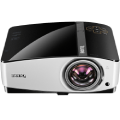
The Optoma ML1050ST has been engineered with a short throw lens that allows you to install the projector closer to the wall than usual. Presenting text documents, spreadsheets, and other multimedia is easy with the projector's built-in interfaces. Plus, the projector also lets you wirelessly project content from your mobile phone. All you need is the HD Cast Pro application (free download) and a special USB adapter (sold separately). However, the Optoma ML1050ST isn't only for business purposes. It can also be used to project video games or movies at home.
Optoma ML1050ST

Projector - DLP LED, WXGA (1280 × 800), 16:9, contrast: 20000:1, HDMI, MHL, VGA, USB, card reader, speakers
Show full description
Code:
WZ001i17
Producer's Website:
Don't like the alternatives? Choose from the full product list

Optoma ML1050ST
Discontinued
Optoma ML1050ST


Key Features of the Optoma ML1050ST Projector
- WXGA resolution (16:10)
- High contrast (20,000:1)
- Top-quality image due to LED technology
- Wireless streaming (need to buy a special adapter)
- HDMI, MHL, VGA, memory card reader...
- Integrated speaker
- Compact dimensions and lightweight (420g)
More Flexible Installation Options
With a short throw lens, you can project an impressive 100” image from just over a metre away. This allows you to place the projector closer to the wall, reducing shadows so you can present with ease.

Projector with LED Technology
Due to LED technology, the Optoma ML1050ST delivers premium image quality with superior colour and consistent brightness.

Amazing Colours
Enjoy vibrant, premium-quality colours while you watch movies or play video games - the Optoma ML1050ST delivers great performance no matter what. It uses Rec. 709, which is the standard for accurate colour reproduction.
High Contrast Image
The Opotoma ML1050ST provides a more vivid image with brighter whites and richer blacks. The high contrast plays an important role in delivering greater depth. Just see for yourself.

Easily Project Documents
You don't need a PC or laptop to project documents, spreadsheets, or presentations. The projector has a built-in Native Office Viewer interface. Simply copy the files to a USB stick or SD card; the Optoma ML1050ST will take care of the rest.
Content Delivered Wirelessly
Connect and present wirelessly from your PC, Mac, or mobile device with the Optoma ML1050ST projector. Simply use the free HDCast Pro* application and optional USB dongle (sold separately).
*Application compatible with Windows, MacOS, android, & iOS operating systems

Powerful, Built-In Speaker
Sound is an important part of the experience of playing games or watching movies. And even in this aspect, the Optoma ML1050ST won't disappoint. It uses a powerful, integrated speaker that provides excpetional sound quality comparable to that of an external speaker.

Connect Your Tablet or Smartphone
Turn your projector into a smart display by connecting your smartphone or tablet with a single cable using MHL. All of the data stored on your mobile device can now be viewed on the big screen.

Only the Best Quality
The projector's perfect image quality is the result of its compatibility with sources that run at a frame rate of 24fps. So you can play movies and videos exactly as the director intended.
Direct Power On and Off
With this feature, the Optoma ML1050ST will start up instantly when plugged into an outlet, and will immediately turn itself off after unpluging - without needing to cool down first. No flipping of a switch or remote control needed.

24/7 Operation
Last but not least, the projector has been designed to operate 24 hours a day in standard orientation. However, for optimum performance Optoma recommends that your projector is turned off or placed in standby mode for 30 minutes every 24 hours to prolong the life of your lamp.
Specifications
1280 × 800
Aspect ratio
20,000:1
Lighting
Resolution
1280 × 800
Aspect ratio
20,000:1
Technology
Lighting
500 ANSI lm (400 ISO lm)
Light conditions
Lamp life
Noise
Projection screens
0.43 m
Maximum throw distance
Minimum picture size
Maximum picture size
Dimensions
More Specifications
Note:
Specifications can be changed without notice. Images are for illustrative purposes only.
