


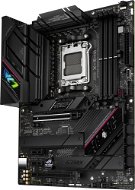
Reviews ASUS ROG STRIX B650E-F GAMING WIFI
Interested in reviews of ASUS ROG STRIX B650E-F GAMING WIFI? It got 4.7 out of 5 stars from our customers. Find specific customer reviews of ASUS ROG STRIX B650E-F GAMING WIFI below. We will appreciate if you also share your experiences with ASUS ROG STRIX B650E-F GAMING WIFI after purchasing.
User Reviews

Ondřej, Brno
Rated 24/01/2025, variant ASUS ROG STRIX B650E-F GAMING WIFI
Verified purchase
Idelani for gaming PC
PCi 5
After the first boot I recommend installing the current version of BiOS and then enabling XMP
When installing win11, the network card driver will be required (I recommend to have it on USB)
0 ×Report
Automatic translation

Dominik, Jaroměř
Rated 21/01/2025, variant ASUS ROG STRIX B650E-F GAMING WIFI
Verified purchase
Super quality! (pin hardness)
5. About PCIe
All black
Subtle RGB
BIOS flash required due to FAN Hub.
0 ×Report
Automatic translation

Anonymous customer
Rated 19/01/2025, variant ASUS ROG STRIX B650E-F GAMING WIFI
Verified purchase
I've only had the board for a while, but so far it works without any problems
Large number of connectors
Easy GPU pull-up using the button
Inherently unusable software (Armoury Crate)
When installing Windows 11, I had to install lan/wifi drivers
0 ×Report
Automatic translation
Matěj, Tršice
Rated 29/12/2024, variant ASUS ROG STRIX B650E-F GAMING WIFI
Verified purchase - review from a price comparison website
I have a 1000W power supply. And everything is correct, connected and set up. With anything else, it doesn't happen. Maybe that's the way it's supposed to be.
Fulfills expectations, and purpose
Completely satisfied
I don't know if, to completely put it as a disadvantage, of the product. But when the PC is switched off, strangely with a sharp change, the RGB flashes in intensity. Some people may find it disturbing when they sleep.
0 ×Report
Automatic translation

Adam, Horní Bečva
Rated 28/12/2024, variant ASUS ROG STRIX B650E-F GAMING WIFI
Verified purchase
for the money super board
even 1x pcie 5.0
0 ×Report
Automatic translation
Jaromír, Rataje
Rated 27/12/2024, variant ASUS ROG STRIX B650E-F GAMING WIFI
Verified purchase
After a week of testing and tinkering with the bios settings, I returned the board again with my head like a search balloon and my nerves in a bucket. Not to mention the CPU Fun bug, even with the CPU Pump, before it caught, my Bios temperatures were flying 85-90 degrees. Later it caught the setting on the CPU PWM(CPU Pump), so temperatures around 45 in the Bios. Once loaded on the desktop, all fans at maximum speed with a 90 degree indicator on the CPU. I don't understand. The app to the watermaker showed the pump running but 90 degrees constantly for at least about 1 minute before the temperature dropped and so did all the fan speeds. Checked the conductor, it was indeed sitting on the processor and the paste between them was. After every boot, reboot same problem. With the bisou update problem. After pressing the 2sec flash USB bios button, the light flashed a couple of times, then just lit up. Problem also with manual update directly in the bios, it does not recognize the file, does not read it, again error. On an older PC I have an Asus Prime Z370 and everything worked, until now with the Strix version with problems. I immediately returned the board and ordered a Gigabyt X870 Aorus Elite WIFI7 and everything was without problem, loading with AMD Expo in 10 seconds.
WI-FI
The workmanship of the board, beautiful design.
3x M.2 Drives with cooling.
B650E priced at 6000kč? Why not?
PCIe 5.0 x16.
Enough USB input.
Lock/unlock the GPU card from the socket via a button, cool stuff.
Long loading time with or without AMD Expo.
I couldn't update the bios, either via Flash Disk or manually in the bios.
Error with CPU Fan in Bios, kept throwing an error on first boot or on every reboot. Forced to disable CPU Fun monitoring.
It didn't get along with the water cooling plugged into the CPU Pump, even after setting the CPU Pump to CPU PWM, according to the cooling manual.
For 6000k I'd expect a bit more.
After shutting down CPU Fun my board did not offer to boot into bios or USB boot. She always loaded the area right away. Forced restart of the entire bios setup.
0 ×Report
Automatic translation

Petr, Vsetín 1
Rated 07/12/2024, variant ASUS ROG STRIX B650E-F GAMING WIFI
Verified purchase
intel sitovka which when connected to 2.5Mbit stopped working.
chipset heats a lot around 70C

0 ×Report
Automatic translation

Pavel, Domažlice 1
Rated 30/11/2024, variant ASUS ROG STRIX B650E-F GAMING WIFI
Verified purchase
quality board, price/performance ratio
I can only recommend
top quality workmanship
0 ×Report
Automatic translation

Michal, Ostrožská Nová Ves
Rated 04/10/2024, variant ASUS ROG STRIX B650E-F GAMING WIFI
Verified purchase
Solid board, Ryzen 9 7900x3d GSkill ripjaws 6400 cas 32 are running great on expo profile, only boot was slow, must set Fast boot - disabled and to do Memory context restore - enabled, so far satisfaction .
Stable
PCI express 5.0
Price
0 ×Report
Automatic translation
Anonymous customer
Rated 01/10/2024, variant ASUS ROG STRIX B650E-F GAMING WIFI
Verified purchase
I already had a problem with LAN drivers with a clean OS installation on the ASUS ROG STRIX B460-F GAMING board. I'm surprised this is still an issue. MSI MAG B650 TOMAHAWK WIFI without problem. When installing OS11 from USB, LAN and WIFI drivers are not installed. This makes it impossible to complete a clean OS installation. It is necessary to have the drivers pre-downloaded on the USB and manually install them before installing OS11. See instructions on the web https://rog.asus.com/support/faq/1048887/. Personally, I had the drivers downloaded together with the OS on one USB drive.
PCI express 5.0 for GPU and NVME
Bios visualization
When installing OS11 from USB, LAN and WIFI drivers are not installed.
0 ×Report
Automatic translation
