Try our cookies Alza.cz a. s., Company identification number 27082440, uses cookies to ensure the functionality of the website and with your consent also to personalisage the content of our website. By clicking on the “I understand“ button, you agree to the use of cookies and the transfer of data regarding the behavior on the website for displaying targeted advertising on social networks and advertising networks on other websites.
Alzak icon
Catalogue
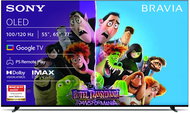
55" Sony Bravia 8 (K55XR80PAEP) - Television

Reviews 55" Sony Bravia 8 (K55XR80PAEP)

Interested in reviews of 55" Sony Bravia 8 (K55XR80PAEP)? It got 4.9 out of 5 stars from our customers. Find specific customer reviews of 55" Sony Bravia 8 (K55XR80PAEP) below. We will appreciate if you also share your experiences with 55" Sony Bravia 8 (K55XR80PAEP) after purchasing.
1,599 €
In stock > 5 pcs
Add to Cart More Information

User Reviews

Anonymous customerflag
Rated 06/01/2025, variant 55" Sony Bravia 8 (K55XR80PAEP)
Verified purchase
Appearance
Good picture, colours
Decent sound
Two controllers, one with backlight
Clear system
Only 2x HDMI 2.1
0 ×Report
Automatic translation
Michal, Praha 8flag
Rated 29/11/2024, variant 55" Sony Bravia 8 (K55XR80PAEP)
Verified purchase
Perfect picture
Superior sound on TV (I can do without the soundbar)
Android TV
2 drivers
Ideal for less lit rooms
HDR is not as bright as Samsung's OLED competitors
It takes a while to pair with your Android account
0 ×Report
Automatic translation
Karel, Brnoflag
Rated 22/11/2024, variant 55" Sony Bravia 8 (K55XR80PAEP)
Verified purchase
Perfect picture, sound, apps, google TV system, backlit remote (turns off when inactive)
none
0 ×Report
Automatic translation
Jiří, Praha 5 - Sobínflag
Rated 21/11/2024, variant 55" Sony Bravia 8 (K55XR80PAEP)
Verified purchase
Great picture
Bravia soundbar with brilliant sound
2 controls
Fully controllable via app
Higher price, but It's a Sony!
0 ×Report
Automatic translation
Zdeněk, Slavěticeflag
Rated 06/11/2024, variant 55" Sony Bravia 8 (K55XR80PAEP)
Verified purchase - review from a price comparison website
A great well equipped OLED tv with a price to match the quality.
Image, sound
design, appearance
u
0 ×Report
Automatic translation
Anonymous customerflag
Rated 04/11/2024, variant 55" Sony Bravia 8 (K55XR80PAEP)
Verified purchase
From the factory, all picture modes are set up poorly to impress on the shop floor alongside competing TVs. Hence the need to reconfigure all picture modes on the TV. The ideal color temperature is Warm except for sports and PC, there set the color temperature to Neutral. Sharpness 45-50. Reality Creation 20. Turn Motionflow off or set values to "1,2, Low". Turn "Movie Mode" off or set it to High depending on the picture mode. Advanced contrast enhancement and black enhancement off. Always give the peak luminance a maximum of medium. Contrast for HDR content 90 and for SDR content 60-90. Black level 50. Always turn off vivid colours. Colour saturation is always 50 (only for the vivid 51 profile). HDR settings always in gradation position. HDR luminosity is always maximum, SDR luminosity is 35 and higher depending on the lighting conditions in the room. Disable both noise reductions for 4K content and turn them off for 1080p content (e.g. for TV signal reception) set to medium. In Calm mode, reduce contrast. Turn Motionflow and Movie mode off in Professional mode, and turn both on in Cinema and Quiet modes. In Standard mode for the TV signal turn off Movie mode and Motionflow either off or set to Personal "1,2, Low". Don't bother with the Expert Color professional calibration and stay with the Warm color temperature. Gamma is a bit tricky with SDR. I would set it to higher values on the Quiet mode, e.g. 0-1. For other modes I would put it at -3 to 0. For HDR I would leave Gamma at minimum or -2.
Picture quality after setting ideal values for receiving TV signal in SDR for both dark and light room. The SDR luminosity is ideal even in a dark room. Competing television (e.g. MLA-OLEDs) have such a high SDR that it cannot be properly reduced in a dark room. These televisions glow disturbingly in the dark. This is not a problem with Bravia 8.
Picture quality after setting ideal values for playing streaming movies in HDR for a dark room.
Image quality after setting ideal values for connecting to a PC as a monitor in HDR for a dark room.
Competing OLEDs (QD-OLED, MLA-OLED) are targeted for HDR use in bright rooms, but this TV outperforms them in darker or shaded rooms in terms of picture quality thanks to Sony's image processing. The exception is the Sony A95L, but in a darker room, this Bravia 8 comes close to even that.
SDR content is at the level of the TOP models of the competition even in medium bright rooms. In a completely bright room, more advanced technology (QD-OLED, MLA-OLED) is an advantage. But in moderately bright rooms, this TV doesn't fall short in SDR luminosity, and it has Sony image processing.
HDR luminosity in a bright room is not ideal. It's usable if the room isn't extra sunlit, but if the room is sunlit, a higher HDR luminosity would be useful. When it gets a little dark or the clouds roll in, the Bravia 8's HDR luminosity is perfect.
0 ×Report
Automatic translation
Václav, Plzeňflag
Rated 27/09/2024, variant 55" Sony Bravia 8 (K55XR80PAEP)
Verified purchase
Although I actually wrote more cons than pros, I rate the TV 90/100 as very good, I'm satisfied with it.
Perfect picture (but you kind of expect that with OLED), tons of settings
Comprehensive look (no screen-only section as before), too bad it's not all black
Sound OK (Great with the Theatre 8 soundbar if you get it in a decent price bundle)
Many app (Kodi of course)
2 drivers (everyone is missing something: -)
Accessible ports on the side, you can reach them even if you have the TV "stuck" on the wall
WOLED
If it's a DO with a battery, solar charging would be nice
Occasional jerky system response (e.g. volume control - soundbar, EPG scrolling), maybe new FW will solve it
If I compare with the J series, some of the SW "improvements" are a step backwards, but it's more the details, you can get used to it
Inability to set the behavior when switching audio outputs - e.g. if you want to use wireless headphones, you have to manually switch the Audio output on and off all the time to avoid disturbing the surroundings, although some people may like the fact that the sound goes to the headphones and the Soundbar at the same time, but for a TV in this category I would expect the possibility of user settings
Very limited sound output settings - Theatre 8
(Probably) 100Mb Ethernet in 2024 may bother some people - ironically faster over Wifi than over cable - I haven't tested it, I'm basically happy with the speed over Wifi)
Subjectively, Samsung has a more appealing Upscaling
WOLED
0 ×Report
Automatic translation
P-DC1-WEB05

Bei uns geht's schnell! Waren, die auf Lager sind, versenden wir innerhalb von 24 Stunden More info »