


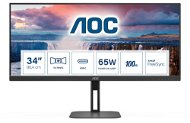
Reviews 34" AOC U34V5C
Interested in reviews of 34" AOC U34V5C? It got 4.5 out of 5 stars from our customers. Find specific customer reviews of 34" AOC U34V5C below. We will appreciate if you also share your experiences with 34" AOC U34V5C after purchasing.
User Reviews

Anonymous customer
Rated 08/09/2025, variant 34" AOC U34V5C
Verified purchase
I bought it mostly for office work with my Macbook. It's working great. I have the monitor in my bedroom, where there is also a desk, and I was pleasantly surprised that there is no need to turn it off when disconnecting the device - the LED quickly goes off and the monitor does not disturb sleep. The refresh rate is fine, but when scrolling, a specific "ghosting" can be seen at a certain contrast. I would still buy again though, because for the money, there's just no other way.
Price
Parameters (resolution and frequency)
Standby mode does not disturb
Viewing angles aren't quite top, but that's never at this price level
Slight smearing on dark colours, cannot compare with higher grade
0 ×Report
Automatic translation

Customer, Brno-Bystrc
Rated 26/04/2025, variant 34" AOC U34V5C
Verified purchase
I have to say that for the price I paid, the screen is actually beautiful. Great for productivity, finally something larger than my 16:9 previous screen. I can't say that from the point of view of image it has any flaws, and the 100 Hz seems to do a great job. If there is anything to complain about this screen, I'd say that the build quality is a little low especially when it comes to the operational buttons on the bottom of the screen. They are hard to use (requires a bit of force to push them while they're very small), and navigating the menu is something to get used to. I don't have a lot of knowledge, but it does have some gaming settings which I don't know much about for the moment, reason why, when switching from my Counter Strike game (in Full Screen Window) mode to whatever other app I have in the background and switching back to the game, makes the screen blank for a few seconds on every switch, which is most probably a setting I didn't understand how to set properly). The second thing I'd say it's odd about this screen is something that may be just my luck only. While the screen is running, I assume there's a vent that running which is louder than my laptop's vents and my Steam Deck running games all together. :) During the day it's not such a problem, but if you work during the night in total silence, well, it is a bit disturbing. Connectivity is standard from my point of view and Vesa Mounting is something easy to install having its own screws and standard size. Overall, I'm satisfied with this screen even if it is flat, not curved which is a matter of choice - I'm not used to curved screens yet.
Nice image color
Good size for productivity and games
Great price for a large screen
Navigation physical buttons are hard to press
Possibly only mine has some defect, but from time to time it tries to use the vents I suppose and it's louder than my laptop and steam deck vents together, but after a while it stops, and starts whenever
0 ×Report

Jaroslav, Teplice
Rated 22/04/2025, variant 34" AOC U34V5C
Verified purchase - review from a price comparison website
ok
0 ×Report
Automatic translation
Anonymous customer
Rated 08/04/2025, variant 34" AOC U34V5C
Verified purchase
Someone wrote that it doesn't read the stuff on the monitor side. Everyone has slightly different peripheral vision, and sometimes you need to turn your head if you're using the monitor in one window or if the monitor is too close to your face. I have a 60 cm and mostly don't have this problem, but I also use the monitor primarily for two windows as a replacement for two 27" monitors. I'm satisfied.
I also have a million more space on my desk thanks to the AlzaGuard leg that is offered as a package with purchase. - The 10z10 leg is worth it if you like table space.
The USB in the monitor is an absolutely awesome thing for accessories you want to use with all your devices (but only via usb-c) The only thing I would criticize is that the HDMI cable falls out of the monitor, but HDMI is thankfully an obsolete thing. The USB-C stick works beautifully with both laptop and ipad.
Dimensions
Custom screws for vesa hanging.
Settings
Built-in dock with Power Delivery and all the other features you filter here
In Counter strike you see a bit of a corner - like when the transition was from 4:3 to 16:9, the ultrawide just has a bit of an advantage.
HDMI does not stick in the monitor - a relic of the past, long live usb-c


0 ×Report
Automatic translation
Company
Rated 15/02/2025, variant 34" AOC U34V5C
Verified purchase
I was also concerned about the previous reviews, but the monitor is excellent for the money offered. Someone writes that the contrast is bad, and I had to tone it down so the white doesn't shine so much. The viewing angle is good, quite sufficient. I don't play games, I just use the monitor for multitasking and media. USB-C works great with Mac, at full resolution. The only thing, the audio driver is not right, the sound can't be controlled on the Mac, which doesn't matter at all as the speakers are in the back and the sound is terrible. All the connectors are at the back, access is poor, but I don't mind. Light weight of the monitor, adjustability of every angle and position.
Image and colours
Configurability
Price
Light weight
Viewing angle
USB-C
Speaker sound
Connector accessibility
0 ×Report
Automatic translation
Company
Rated 24/12/2023, variant 34" AOC U34V5C
Verified purchase
According to the reviews I was a little afraid of the monitor, but there's really nothing to worry about, you just need to be careful with the wiring
1) sharpness, contrast - if I had the monitor through the docking station, the max resolution was 2560*1080/50Hz, and the dock only increased it to 3440*1440 at the same frequency and the sharpness was less, but even so it was acceptable, for the eyes it was paradoxically much more pleasant. If the monitor is straight on and the dock is used only for the 2nd and 3rd monitor and other peripherals, this 34-inch is beautifully sharp, contrasty and easily readable in all its parts, in the graphics card it can be played to perfection even at 100Hz (150Hz horizontally and 99 vertically). Except, and this is why I bought it, I have to have a blue light filter, and the white set to yellowish so my eyes don't hurt, so I purposely devalue the image a bit. The monitor is 95 cm (bent) - 115 cm (straight) from my eyes, contrast at 25%, brightness at 15%, Gamma 1 and DCR off.
2) sound - sure, it's not Magnats - but for regular work, Teams and background music and movies it's OK. No need to switch on BT speakers. In addition, it is possible to tune it through the sound system, the music from it does not offend, if you do not expect Hi-Fi level.
3) between my three monitors I can set the master and slave to any of the three without any problem, so it's bullshit that it can't be done (WIN11)
4) graphical outputs (AutoCad, Corel, Sketchup) are not distorted like on the rounded CU variants
5) for normal office and graphic work, Photoshop, AutoCad, InDesign, SketchUp, DaVinci, and for the occasional movie, the monitor is perfectly fine
6) you will be pleased with the setup options and LowBlue mode as well as USB options for connecting other peripherals.
7) as a replacement for an older 24 AOC monitor definitely a step forward and at a reasonable price
8) small depth and light weight with VESA 100x100 hanging
large area, sharp, clear and even cool readable graphics (but it must be connected directly to the graphics card, otherwise from older dock the image is zoomed from a lower resolution and only to 50Hz and the image is then really out of focus)
undistorted 2D and 3D perspective image for large lines in drawings (AutoCad, SketchUp)
solid sound (compared to an older AOC with integrated speakers), but clearly it is not for quality listening, however for work and for background music or video editing just fine
options for eye-friendly settings
Small depth and light weight for VESA connection, 1:1 replacement for 24 monitor, installed in a minute
monitor control from the front and not from the bottom as with older 19 and 24 AOC monitors
USB expansion options
AOC design, just a pity that the logo is no longer 3D (raised), but only painted and the LED glows white instead of green
for normal work a solid monitor at a reasonable price, overall satisfaction
if you don't connect directly via graphics or via a high quality 4K dock, the image is zoomed from a lower resolution and at a low frequency and thus not perfectly sharp (but that's not the monitor's fault)
AOC logo is no longer 3D (raised)
0 ×Report
Automatic translation

Customer, Praha 5 - Smíchov
Rated 03/03/2023, variant 34" AOC U34V5C
Verified purchase
The description on the Alza website and the photos on the Alza website and on the AOC website do not correspond to reality:
- The monitor does not have a webcam
- The monitor does not have USB inputs on the side as shown in the photo, only classic from the back Otherwise, the experience so far short, the image on the office. use ok, connection via USB-C without problems, Power Delivery works.
("Note from Alza editors - thank you for the warning and we apologize. We will correct the webcam error immediately. If you have received a different monitor than the one pictured, please contact our customer service center to help you sort it out. Thank you, have a nice day")
0 ×Report
Automatic translation
