


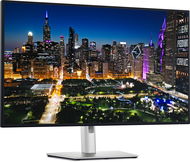
Reviews 32" Dell UltraSharp U3225QE
Interested in reviews of 32" Dell UltraSharp U3225QE? It got 4.0 out of 5 stars from our customers. Find specific customer reviews of 32" Dell UltraSharp U3225QE below. We will appreciate if you also share your experiences with 32" Dell UltraSharp U3225QE after purchasing.
User Reviews

Jan, Osek u Rokycan
Rated 26/07/2026, variant 32" Dell UltraSharp U3225QE
Verified purchase
Colours – the average user must either use the ICC P3 (this is a wide-gamut panel) profile in the operating system or switch to sRGB emulation (in the monitor menu).
HDR mode needs to be enabled in the menu and you can just leave it there – otherwise the monitor won’t report it (it doesn’t really make any difference).
It’s not an OLED, but it’s good enough for viewing HDR content. Dimming in HDR isn’t as bad as the reviews make it out to be. The IPS glow is visible in the dark – but it’s fairly even.
The default mode is SDR/Display P3 gamut, and I’ve reduced the green component slightly. The colour calibration appears to be accurate (50% brightness ~ 110 nits), and the colour saturation is excellent.
There is a slight loss of brightness visible in the corners; given the size of the panel, this is negligible.
The colour consistency of an IPS panel is comparable to that of an OLED (where colours are also no longer accurate when viewed from extreme angles). The colours are consistent across the whole panel (I have two and they look the same).
IPS Black (contrast similar to a VA panel)
Display P3 colour gamut
Calibrated at the factory (accurately)
The front LED can be switched off
120Hz and 10-bit colour
3840×2160p
Excellent connectivity
Picture in Picture
higher price
The calibration cannot be saved to the monitor
0 ×Report
Automatic translation

Company
Rated 08/06/2026, variant 32" Dell UltraSharp U3225QE
Verified purchase
I already had the previous 60Hz model, which was great, and with the 120Hz super jump, which I missed before. Yes, it's "just" IPS with its features, but very good IPS and if you need high luminance like I do (few IPS have it and 2x compared to other/Oled technologies), then great. Other monitors seem to me to be off.
Black is not black like the Oled, but it has its other pluses
0 ×Report
Automatic translation
Jaroslav, Brno
Rated 27/04/2026, variant 32" Dell UltraSharp U3225QE
Verified purchase
You pay a lot of money for the monitor, especially since it has an integrated dock and KVM switch. However, if you are buying the monitor for this, I have to strongly advise against it. The integrated dock is poor quality, it has 3 levels of nested hubs so you only plug in one hub externally. The integrated network card does not work at all under macOS. It pretends that everything is great, however iperf3 in one direction 2.35Gbit and in the other direction so 700-800Mbit (I checked with other networks, it's not really my network). This is a known problem with cheap Realtek RTL8156 chipsets, which this monitor suffers from as well. I was expecting i226 PHY on PCI-e from thunderbolt, like serious hubs (HP G4 for example). I haven't decided yet, but I'll probably return the monitor. I really wasn't impressed with the picture quality, which is OK but nothing amazing, and the integrated dock is unusable for me.
Processing
Calibration
Super colours
Good blacks as long as it's not spoiled by IPS glow
IPS (glow, more visible than I expected)
Integrated Thenderbolt dock
Cheap RTL8156 ethernet adapter does not work with macOS
Many embedded USB hubs, then external ones don't work, the monitor even points this out during setup.
0 ×Report
Automatic translation
Viktor, Praha
Rated 09/04/2026, variant 32" Dell UltraSharp U3225QE
Verified purchase
Perfection itself! I use it with macbook Air. All cables and even usb-c / usb-c Thunderbolt 4. Just plug in and everything works. Beautiful minimalist look.
I bought here for 19 453, - !: )
NOTHING!
NOTHING!
NOTHING!
0 ×Report
Automatic translation
Anonymous customer
Rated 27/03/2026, variant 32" Dell UltraSharp U3225QE
Verified purchase
Perfection itself. Incredibly handy for hiding cables and switching between a gaming desktop and a work laptop. I just turn on the PC and the monitor switches itself and all the peripherals plugged into it (mouse, keyboard, wired internet, camera, hifi, headphones, printer) to the PC. Or I can plug one USB=C into my laptop and have everything on it. Alternatively, you can simply switch it manually.
The monitor has excellent luminance. It's great to work with and has perfectly crisp black text on a white background. People sometimes complain about the white ("too yellow"), which I can't confirm, I find it perfectly fine.
0 ×Report
Automatic translation

Jana, Zlín
Rated 14/01/2026, variant 32" Dell UltraSharp U3225QE
Verified purchase - review from a price comparison website
large image area
luminosity
firewire 4, USB C 140 W
more quality inputs and outputs
4K
easy connection of multiple monitors
suitable for Macbook and Windows
0 ×Report
Automatic translation

Jiří, Opava 1
Rated 31/12/2025, variant 32" Dell UltraSharp U3225QE
Verified purchase - review from a price comparison website
Maximum satisfaction, suitable for all applications
0 ×Report
Automatic translation
Anonymous customer
Rated 15/10/2025, variant 32" Dell UltraSharp U3225QE
Verified purchase
Unfortunately, I met the same fate as mentioned in other reviews. I was really looking forward to the 120hz Dell in 4k because it looks like the ideal combination of everything I need. Unfortunately, I was disappointed at the very first connection by the impossibility of setting precise colours (especially white) and I was quite puzzled by the absolutely tragic local dimming. In my case, the local dimming was so bad that even when displaying white, one side of the display was in a yellowish transition while the other was not. It then looked like one half of the display had a different tone of white/gray than the other, which was even more degraded at different viewing angles. For comparison, I have two older ones at home (predecessors): U3219Q, which is, in terms of color and tonality closest to the Macbook display. U3223QE, which is newer, but more golden in tonality, but through the settings it can be at least a little closer. I'm quite happy with both and was only looking for an "upgrade" in the form of 120hz. Unfortunately, the 25QE version is the worst of the three (I tested all three monitors side by side for comparison) and the better refresh rate is not really worth the overall worse image quality and tonality. I'd rather wait for another model, or try-after 10+ years of satisfaction with Dell-I'd prefer another manufacturer.
0 ×Report
Automatic translation

Jiří Štěpánek, Mladá Boleslav
Rated 07/10/2025, variant 32" Dell UltraSharp U3225QE
Verified purchase
I've been loyal to Dell monitors for quite a few years now. They have never failed and have always been top quality for me for office work. So I couldn't wait for this piece, which on paper meets all my requirements and of course gets properly paid for it. Unfortunately there was a huge disappointment in the form of the colour tone. I have not been able to get white on the monitor. Tested all presets, manual settings, calibration, new firmware, switching to another input, plugging into NTB, detailed tuning of settings in NVidia control panel (8/10 bit, output range full/limited, color model, frame rate. ) and none of it worked. The white was either beige, yellow, or bluish. Even with manual fine tuning, I didn't get close to white on either of the two current dell monitors.
120Hz is beautiful, the monitor didn't have a single defective pixel, beautiful and rich color rendition (toning aside), but to spend 23K on a monitor that can't properly display white? I sincerely hope this was an isolated case and a defective piece.
White compared to two other dell 27" monitors (one older FHD, one newer 4K)
0 ×Report
Automatic translation

Pavel, Praha 4
Rated 18/04/2025, variant 32" Dell UltraSharp U3225QE
Verified purchase
So it's finally here! A monitor you can work comfortably all day and play well in the evening without compromise. Normal office work is seamless - the picture is sharp, the colours are pleasing and the desktop is ideal for multitasking. Connect your laptop via Thunderbolt and no more cable is needed. With the built-in KVM switch, you can easily switch from gaming to work without having to unplug your keyboard or mouse. The monitor offers a really wide range of ports on the back, and as a bonus it also has a slide-out panel with USB ports on the front, which is extremely handy for quickly connecting peripherals. For gaming, it offers a 4K picture in beautiful colours and - compared to previous models - a 120Hz refresh rate! This makes the gameplay experience great even in competitive titles. I initially had a minor problem with the KVM setup in the monitor menu - even with the DisplayPort and USB cable plugged in correctly, the switching didn't work. Reconfiguration via the official software from Dell was trouble-free. If you are moving from a smaller monitor and have a narrower desk (I specifically from a 25" Dell U2515H), you may need to address the distance between your eyes and the monitor. I solved this by using the Dell MSA20 arm, which allowed me to move the monitor more towards the wall - the standard stand holds the display unnecessarily far from the back edge of the desk. Now, just make it last a long time.
32" 4K resolution (3840×2160)
High brightness and contrast
120 Hz
Thunderbolt 4 (USB-C) - 140W
USB hub - 2× USB-C + 5× USB-A (speed up to 10 Gbps)
HDMI 2.1 and DisplayPort 1.4
KVM
0 ×Report
Automatic translation
