


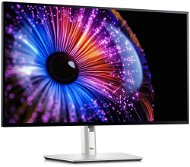
Reviews 27" Dell U2724DE UltraSharp
Interested in reviews of 27" Dell U2724DE UltraSharp? It got 4.8 out of 5 stars from our customers. Find specific customer reviews of 27" Dell U2724DE UltraSharp below. We will appreciate if you also share your experiences with 27" Dell U2724DE UltraSharp after purchasing.
User Reviews

Company
Rated 04/11/2025, variant 27" Dell U2724DE UltraSharp
Verified purchase
for Apple super monitor
finally my eyes were not so sore when working 4h+
sometimes the Thunderbolt doesn't catch and I have to plug it in and plug it in
higher price
0 ×Report
Automatic translation
Anonymous customer
Rated 16/12/2024, variant 27" Dell U2724DE UltraSharp
Verified purchase
A great work monitor, but at a relatively high price. For gaming I'd rather choose a monitor with better gaming specs at half the price, and for other activities it's definitely unnecessarily expensive.
Thunderbolt 4 - One single cable provides video (2560x1440 at 120 Hz), power to the laptop (90 W) and connects other USB devices
High contrast
Decent refresh rate
Many USB ports - 2 easily accessible ports on the bottom edge of the display, handy for quickly tucking away a device cable; a few more USB ports on the less accessible back of the display (where it is useful to have some cables permanently plugged in)
Control joystick on the back - when I bought the monitor I thought this would be a disadvantage, but the opposite is true, and I would say it's a better solution than the buttons on the bottom edge
Equally wide (or rather, narrow) bezels on all sides - Dell suppressed its corporate ego and wisely decided that the logo on the bottom does not have to be unnecessary
Solid stand with a fairly large positioning range
Power button on the back - unlike the control joystick, I'd rather have it on the bottom edge of the display
In the first few days of operation quite a distinct smell coming from the top of the monitor, but then it stopped (quite a few people complain about it on the Internet)
Backlight bleeding at the bottom - I find it quite annoying when watching movies (movies typically have a loose black border at the bottom, where bleeding is logically very visible), but on the other hand, during other activities, one has no chance to notice it
I find the auto-dimming function hardly usable, as it darkens the monitor too much for my taste - it does have three levels of settings, but these are more or less useless
Price
0 ×Report
Automatic translation

Petr, Karlovy Vary
Rated 20/11/2024, variant 27" Dell U2724DE UltraSharp
Verified purchase
Purchased for Apple Mackbook Air + Windows gaming PC configuration in order to get rid of reducers, docking stations, get a simple setup with 100Hz and Freesync support. All the expected features are supported by the monitor, including a KVM switch for usb devices that seamlessly switches between two running computers, allowing continuous control of both. It also supports external sound card switching (Behringer Flow 8 digital mix), which I really didn't expect and for that I give Dell a thumbs up. I don't use PiP support and split monitor between both machines. The picture is nice, stable thanks to the high refresh rate, no backlight defects. NightShift support and native macOS drivers in general are a nice cherry on top.
100hz FreeSync support
TB4 support
Multi PC setup
KVM Switch works as it should even with complicated peripherals
Calibrated colours from the manufacturer
0 ×Report
Automatic translation

Pavel, Choceň 1
Rated 01/09/2024, variant 27" Dell U2724DE UltraSharp
Verified purchase
Out of the box and plugged in everything was fine, unfortunately only until I tried to split the screen in half for two sources in the menu. The monitor does not display anything on the connected half and there is absolutely no way to exit this mode. PIP menu inaccessible, factory reset inaccessible. The only thing that is accessible in the menu is the source selection and self diagnostic.
Dell manager can't see the monitor.
So he's going back.
design / processing
power delivery
function
valid submission
can't knock down a cold white
the light sensor gets too dark
0 ×Report
Automatic translation

Jakub, Praha 10 - Hostivař
Rated 14/05/2024, variant 27" Dell U2724DE UltraSharp
Verified purchase
I originally bought a P2724DE - the several thousand for the version that supports full compatibility with MACos is worth it IMHO, if only because of the working nightshift. In addition, you get 120Hz and a few smaller bonuses.
Super packaging, super processing
great choice for MAC, works with DDPM software for MAC (app from DELL for MACos), nightshift settings work, etc. - tzzn you control everything via MACos. you can also map keyboards for setting brightness, etc.
HUB with 90W PD is great
overall great impression - of course already higher price
of course already a higher price
it' s a pity that only TB4 for NTB really works when the monitor is turned off - of course, if you connect anything else with USB-C to it, it also charges
0 ×Report
Automatic translation

Boris, Praha
Rated 11/03/2024, variant 27" Dell U2724DE UltraSharp
Verified purchase - review from a price comparison website
100 Hz and Thunderbolt hub
Works well, now if only Mac would support chain to DP
0 ×Report
Automatic translation
