Try our cookiesAlza.cz a. s., Company identification number 27082440, uses cookies to ensure the functionality of the website and with your consent also to personalisage the content of our website. By clicking on the “I understand“ button, you agree to the use of cookies and the transfer of data regarding the behavior on the website for displaying targeted advertising on social networks and advertising networks on other websites.
We use 8 categories of cookies on our website:
Technical cookies
These are strictly necessary for the functioning of the website and the features you choose to use. Without them, our website would not work; you wouldn't be able to log in to your user account, for example.
Functionality cookies
These cookies allow us to remember your basic choices and improve the user experience. These include remembering your preferred language or allowing you to stay logged in permanently.
Social media cookies
These cookies allow us to easily link you to your social media profile and, for example, allow you to share products and services with your friends and family.
Content personalisation
These cookies allow us to show you content and ads according to the information we have about you to best meet your needs. This includes what content you have viewed, or on what device you are accessing our website.
Non-personalised advertising
These cookies allow us to show you general ads for products and services.
Personalised advertising
Thanks to these cookies, we and our partners can offer you relevant products and services based on your purchases, your shopping behaviour and your preferences.
Audience metrics
These cookies allow us to optimise our site for your convenience based on how you use it. The aim is to remember or anticipate your choices. This includes, for example, the use of features, their location, or the behaviour on the page.
Third party cookies
These are third party cookies, and you can find out more about them and our partners here.
By giving your consent to the processing of cookies, functionality and analytical cookies will be installed on the device you use to browse the website (click on the "I understand" button for both categories, or you can select only one of the categories by clicking on the "Settings" button). We always install technical cookies on your device, even without your explicit consent, because without them our website would simply not work.
You can revoke your consent to the processing of cookies. In connection with our company's cookie processing, you also have the following rights: the right to access cookies, delete, modify, supplement and correct them, restrict processing and the right to lodge a complaint with the Office for Personal Data Protection. Read more about your rights.
Interested in reviews of Logitech Lift Vertical Ergonomic Mouse Sand? It got 4.7 out of 5 stars from our customers. Find specific customer reviews of Logitech Lift Vertical Ergonomic Mouse Sand below. We will appreciate if you also share your experiences with Logitech Lift Vertical Ergonomic Mouse Sand after purchasing.
Purchased as a mouse for work. Ideal for 8 hours a day. Carpal tunnel prevention (I hope). I have a classic PC for gaming, but with this vertical one I could imagine playing something occasionally.
It's powered by a pencil battery, which may suit some people (no more worrying about the battery), but again you need to buy batteries.
The mouse does not require any software (i.e. the mouse has no software limitations that require proprietary Windows-only bloatware) and works on Linux without any limitations. After 16 hours of work, Ubuntu 22.04 reports 95% battery.
quiet
is truly vertical, not just semi-vertical like some other mice
easy device switching, supports 3
pencil flashlights
does not require SW
the wheel doesn't "step", rather it kind of rides smoothly, which is unusual. I associate this behavior with cheap mice, but this one is Logitech, so hopefully no problem
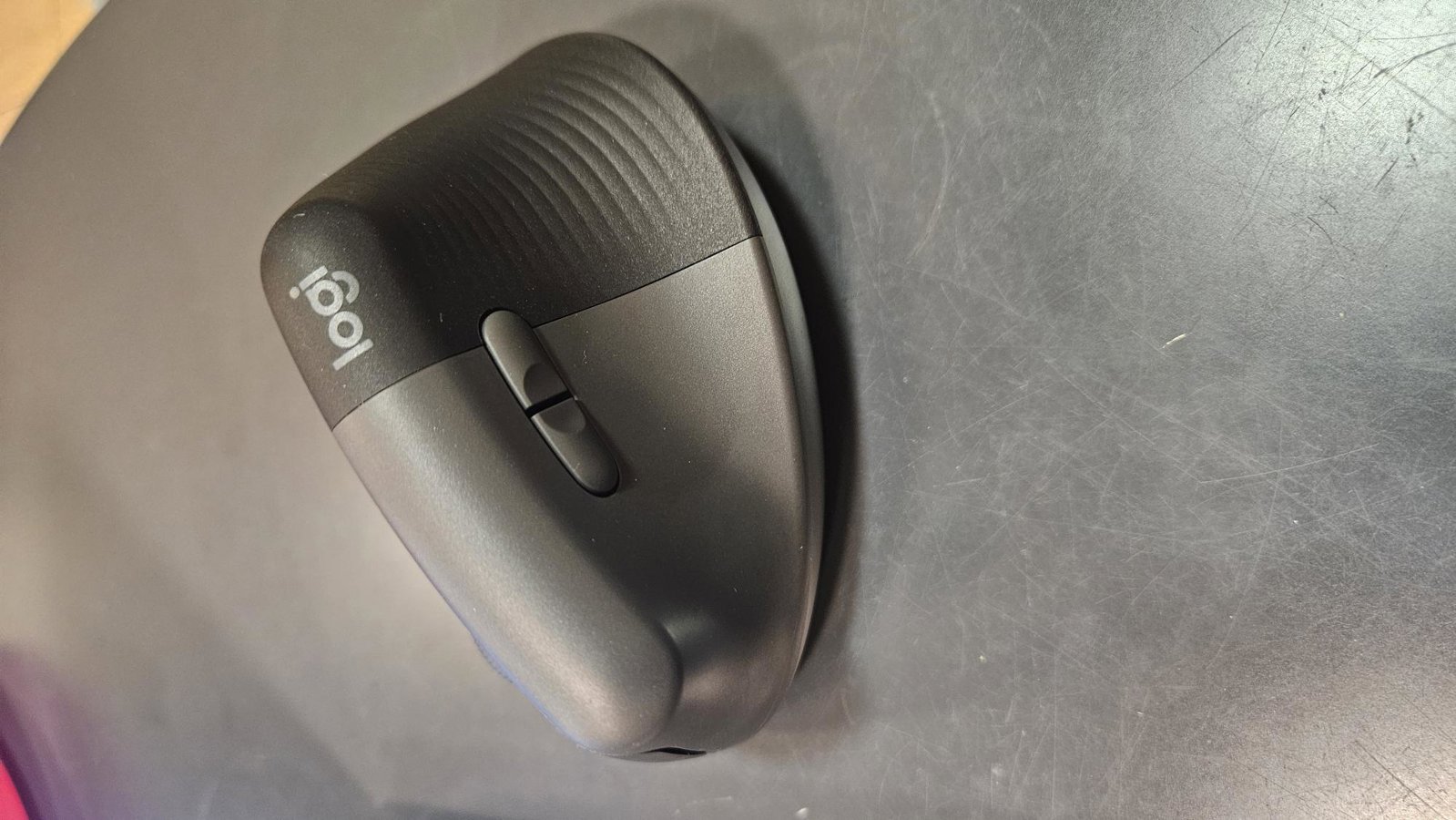
I switched to this mouse from the original CONNECT IT FOR HEALTH LADIES, which, even after several purchases, always stopped working after a short time - either scrolling started to get bad, or the signal started to break, it chopped and especially on some pads did not work at all (even on the pad from CONNECT IT directly made for it). With Logitech Lift, all these problems have been eliminated. I've only had it for a month, but the signal has been absolutely problem-free so far and I really hardly hear any clicking. I have it now on the same pad I bought for CONNECT IT, and it generally works on any surface so far. I really like the ability to customize the buttons and sensitivity. The sensitivity also has two "basic" modes, one faster and one slower and more precise, which can be switched with the button below the scroll wheel. The app does take up quite an unusual amount of space, but I'm not particularly bothered by it and appreciate how much it can be set up. The mouse has only one drawback for me - it's not really suited for really tiny female hands. It's just a little bit bigger than my former CONNECT IT FOR HEALTH LADIES, but unfortunately it's already quite noticeable for my small palm. It's taller, has more slope, and forces my palm to rotate or rest on a pad in a way that's not entirely comfortable. If it was as big as CONNECT IT, it would be perfect. Maybe I just haven't gotten used to the different holding angle yet, I'll have to see. Anyway, this is not a defect of the mouse, just of my hands as such. Even so, I would still recommend a slightly smaller mouse for owners of very small hands.
very quiet clicking
two easily switchable sensitivity modes (one for faster movements, the other for slower and more precise ones)
the sensitivity can be set arbitrarily in the application
It is definitely more for small hands than medium. Ironic considering the MX Vertical is too big for me again. Rubber and plastic are both nice non-sticky materials, which you don't often see in modern mice. What disappointed me and actually made the mouse unusable for me is the behavior of the side (thumb) buttons. For 99% of mice, they just send a signal like other mouse buttons, but Lift is special and only sends a signal after a short press -- for a long press, holding the side button instead changes the scroll wheel behavior from vertical to horizontal scrolling. It must be great if you scroll all day with Excel, but not for me who already uses a program for mouse gestures that are triggered just by holding the side mouse button. And despite all efforts, this behaviour cannot be turned off in Logitech Options+.