


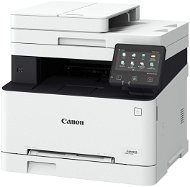
Reviews Canon i-SENSYS MF657Cdw
Interested in reviews of Canon i-SENSYS MF657Cdw? It got 4.3 out of 5 stars from our customers. Find specific customer reviews of Canon i-SENSYS MF657Cdw below. We will appreciate if you also share your experiences with Canon i-SENSYS MF657Cdw after purchasing.
User Reviews

MUDr. Pavel Andres, Brno
Rated 15/12/2023, variant Canon i-SENSYS MF657Cdw
Verified purchase
I absolutely do not recommend anyone to buy this type of printer, it is an unadjustable, inefficient and slow piece of junk, even the box it comes in is ergonomically absolutely unusable
I haven't found a positive side yet
the cartridges in the printer lasted incredibly little
delivery is without instructions, what was included sucks
the instructions downloadable from the internet are not meaningful, the printer is difficult to set up, I basically failed to set it up
connection via wi-fi is slow, although the previous printer type worked great
even though the half-full cartridge has to be replaced, printing with a half-full one does not want to allow it at all, the previous type had no problem
very slow ramp-up and constant nonsensical falling asleep
even to pack the printer, the box was invented by DE - - L, it almost falls out when you carry it, the idea that you should pack it in the box again is just a fiction, it just doesn't work, incomprehensible
God, and they made up passwords etc., but they didn't write them anywhere
0 ×Report
Automatic translation

Radek, Praha 5 - Hlubočepy
Rated 12/12/2023, variant Canon i-SENSYS MF657Cdw
Verified purchase
fast
excellent connectivity with Apple
reasonable price for the quality
it took me about an hour just to unpack it: -)
need to download the control software on Canon. The standard default driver on the Mac doesn't have all the features
0 ×Report
Automatic translation

Ondřej, Praha
Rated 23/11/2023, variant Canon i-SENSYS MF657Cdw
Verified purchase
(Win10/11) There is no need to connect the printer with a USB cable. If a port is available, it can be connected to the LAN, otherwise via WiFi. If you have a WiFi router with a DHCP server (assigns IP addresses to devices - no need to enter the IP address manually), then after logging into your network (via the printer display wifi icon)) it will lease the IP address that will be visible after clicking on the status monitor on the main page of the printer display. Now you need to create an Administrator on the printer interface, which will allow you to set up the printer later via the browser on your computer. In the menu click on Menu - Management Settings (already.: 7654321 h.: 7654321) - User Management - Syst. Man. Inf. Sett. - System. Man. ID Choose a 7-digit ID number (must not be default) and a 7-digit PIN. Click back to Management Settings. Click License/Other - Remote UI Sett. - Remote UI - ON and Restrict Access ON. Now you can connect from the web browser to the IP address of the printer, where after entering the Manag. ID and PIN to see the complete settings tree. In the next step, you need to download the printer/fax/scanner drivers. https://www.canon.cz/support/consumer/products/printers/i-sensys/mf-series/i-sensys-mf657cdw. html in the drivers tab, select "[Your_system] MF657Cdw / MF655Cdw / MF651Cw Multifunction Device Drivers (generic Plus UFR II printer driver / generic Plus PCL6 printer driver / generic Plus PS3 printer driver / generic ScanGear fax/scanner driver)", download. When clicked, it will expand in the folder where it was downloaded. Find the unzipped folder (MF650CMFDriverV720xxx) drivers and x64 (95%), or 32bit (5%). If you pick the wrong one, the installation won't let you in and you try the other one. Install the whole package. After installation, in your system settings, look for Add a printer or scanner. In windows 11: Add manualy - Add a printer using IP Address or host name. Enter the IP address you read on the printer (you must be in the same domain (usually home and small networks), or in a larger network you must have an open path in routing). The printer will appear in the menu, confirm. Follow the same procedure for the scanner. In the web interface (or on the printer panel), it is better to set the sharing option (devices on the network will see the printer) and change the default paper source from default to tray. Menu - Function Settings - for all Common / Copy / Printer on Drawer 1: ) There is much more. However, this guide should cover exactly the basics to make everything work as expected.
Duplex colour printing and scanning
Network traffic (LAN/WiFi)
Seamless sharing in both small networks and enterprise networks
Enables scan-to-mail
High level of adjustment
Default user ID: 7654321
Default password: 7654321
The printer shares an operating system with enterprise models, so it is a robust and multifaceted system, and it is NECESSARY to undergo at least a basic setup that is not entirely straightforward and intuitive. (I'll describe a light orientation guide below)
double W in the model is fax support: ), if you get MF657Cd, you won't lose anything
It does not have pre-installed drivers in Windows, so you need to install from the web.
0 ×Report
Automatic translation
Libuše, Plzeň
Rated 25/10/2023, variant Canon i-SENSYS MF657Cdw
Verified purchase - review from a price comparison website
Fast order processing.
0 ×Report
Automatic translation
Kristýna, Louňovice pod Blaníkem
Rated 22/08/2023, variant Canon i-SENSYS MF657Cdw
Verified purchase - review from a price comparison website
super, scans, copies quickly, well
installation within 10minutes, everything ok
0 ×Report
Automatic translation

Jiří, Praha 4 - Nusle
Rated 14/08/2023, variant Canon i-SENSYS MF657Cdw
Verified purchase
I've had it for 2 hours and I'm ready to return it. If you're not IT, don't buy it and overall it has such complicated hookups, controls that you'll be glad to get rid of it.
lots of features
functions cannot be used
complicated driver search
they made up a password and a name and didn't put it anywhere
strongly not recommended
0 ×Report
Automatic translation
Company
Rated 02/08/2023, variant Canon i-SENSYS MF657Cdw
Verified purchase
Super
0 ×Report
Automatic translation

Natálie, Prague 8 - Dolní Chabry
Rated 04/07/2023, variant Canon i-SENSYS MF657Cdw
Verified purchase
snadné použití a nastavení. je možné změnit uživatelské jméno a heslo (na rozdíl od jiných recenzí). Ovladače fungují s windows 11 . Doporučuji
snadné nastavení
kvalitní tisk
oboustranný tisk
oboustranné skenování
rychlost tisku
nic
0 ×Report

88 LUFTBALLONS s.r.o., Praha 9 - Hrdlořezy
Rated 08/04/2023, variant Canon i-SENSYS MF657Cdw
Verified purchase
I have been choosing a printer for my office for quite some time. Almost all colour laser printers with scanner and duplex printing are too big and heavy. Since the display protrudes 2 cm from the body, I didn't know if it would fit in my printer case. Fortunately, the stated size was correct and was 45.1 cm including the display. The printer setup is a complete disaster. My previous HP printer was quick and easy to set up, unlike this printer. To begin with, the huge manual in all the world's languages is actually only three pages long. There is a link to the qr code at the end of the instructions. The link leads to Canon's website, which instead of instructions says to contact technical support or your printer dealer if you have any questions. You can download many different drivers from the official Canon website. However, nothing works after installing them. Even the scanning app kept showing an error that the necessary drivers were missing. It took me over an hour to install and I finally downloaded the complete driver package from Canon's US website. This driver proved to be functional and everything worked. However, it is not available on the European canon website. The complete driver package weighs 750mb! All other drivers from the canon site that weigh less don't work. After installing these drivers, everything worked. But these drivers had to be installed on all the computers in the office. For example, the old HP worked on all computers on the network after installation. Just install the app from the windows market. Now everything is fine and the printer works without any problems. But installing drivers is a nightmare. Especially considering that it's simply impossible to find the right ones on the official site. That's why I even saved the driver I needed in the cloud storage, so that the next time I install it, I won't have to spend at least an hour looking for it. Now I tried to find a link to this driver to share in a review, but I couldn't find it anymore. It's horrible.
print quality
print speed
fast operation via wifi
double-sided printing
double-sided scanning
Nasty software
broken drivers from the official website
unintuitive printer menu
in addition to the password, you must always enter the username 7654321.
a completely useless three-page manual in each language with a qr code that leads nowhere.
Not available in black
0 ×Report
Automatic translation

Jaroslav, Brno
Rated 04/04/2023, variant Canon i-SENSYS MF657Cdw
Verified purchase
Duplex printing and duplex scanning.
There is an annoying squeaking sound when printing. Maybe I'll file a complaint.
0 ×Report
Automatic translation
