


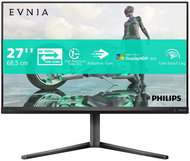
Reviews 27" Philips 27M2N3800A/00
Interested in reviews of 27" Philips 27M2N3800A/00? It got 4.6 out of 5 stars from our customers. Find specific customer reviews of 27" Philips 27M2N3800A/00 below. We will appreciate if you also share your experiences with 27" Philips 27M2N3800A/00 after purchasing.
User Reviews

Tomáš, Cheb
Rated 28/02/2026, variant 27" Philips 27M2N3800A/00
Verified purchase
The monitor is overall good and for alzadny+openbox price (5000Kč in my case) amazing, but because of the quality I have to give only 4/5 stars. I'm also quite intrigued by how many people complain about eye pain, the monitor doesn't flicker and doesn't use PWM backlighting (unless you manually turn on MBR), I've verified this with my own measurements, but it doesn't quite have the best colours as it can't handle much more than sRGB - which is actually quite OK as the vast majority of things on a PC are only in sRGB - but for most people who are used to oversaturated "vivid" colours, it's going to be low contrast. I remember the first time I properly calibrated my monitors to sRGB, it hurt my eyes for a few days too. However, for the full price of 8000Kč I would rather recommend to pay less than a thousand more and buy an identical panel in the design of AOC or GIGABYTE, but they are not usually at a discount as this one.
4k 160Hz monitor for 5-6.5 thousand (detail in the text of the review)
1080p 320Hz dual-mode
Native 8-bit IPS panel
FRC support for simulating 10-bit colour depth
FRC doesn't work at full 4k160/1080p320 refresh rate so I don't have to worry about headaches from flickering colors
When operating at 8-bit colour depth and with full MBR, the monitor is completely flicker-free
MBR (motion blur reduction) support if you want it, but beware of headaches!
After manual calibration it gives sRGB quite nicely, but don't count on any miracle
PIP/PBP support for displaying up to two inputs simultaneously
VESA mount for attaching to a better stand
Quality - cheap plastic, the whole monitor rumbles if you do something with it, the joystick for OSD control is worse quality than toys for kids, but works quite well
Navigation in OSD is a bit cumbersome
FRC does not work on full 4k160/1080p320 refresh rate if you wanted to use the feature
The colour calibration is absolute garbage, you need to use the DCI-P3 mode to get to sRGB and play around with it a bit more in the settings, but this will be piece by piece
PIP/PBP is a bit out of tune, if only one input is active, the monitor is still split (PBP) or displays a black rectangle (PIP)
Overshot overdrive, I have to leave it completely out, otherwise it shows crazy inverse-ghosting even on the lowest setting
My monitor has one dead pixel (I bought it open, so I guess it was returned because of that) - OK for me at that price since it's just a test PC monitor and I don't actually look at it, but I needed something for 4K output
0 ×Report
Automatic translation

Anonymous customer
Rated 24/02/2026, variant 27" Philips 27M2N3800A/00
Verified purchase
Purchased as unpacked, so I wasn't too surprised by the 1 dead pixel, but it can be ignored with no problem. The monitor has excellent color range, high brightness (but also low enough), 4K is really a wow effect.
new monitor to the laptop, so logically satisfaction
4K/160 Hz
adjustable height
1 dead pixel
the recycled plastic stand may not be to everyone's taste
0 ×Report
Automatic translation
Company
Rated 17/02/2026, variant 27" Philips 27M2N3800A/00
Verified purchase
good image
super refresh rate
nice for the money, around 5 grand just
it may cause slight eye burn at higher brightness or long periods of use. no apple display it's just not
0 ×Report
Automatic translation

Karel, Praha
Rated 05/02/2026, variant 27" Philips 27M2N3800A/00
Verified purchase
Worst monitor I've had so far. When you turn on the PC, the monitor goes straight into power saving mode, plus the grey screen where you can see the resolution pixels. Sometimes it happens even when you click to start the game. Restarting the PC will help.
When it works - so the picture
Price
Wiring cables
The screen does what it wants
Settings
The leg is not very firm so sometimes the monitor shakes

0 ×Report
Automatic translation

Tomáš, praha 10, Štěrboholy
Rated 22/01/2026, variant 27" Philips 27M2N3800A/00
Verified purchase
I bought it for console gaming, I've had it less than two weeks now and I can't praise the monitor enough.
Definitely one of the best for the price.
I found the right-hand joystick control practical.
The holder is larger, but stable.
It can be beautifully positioned
Power light can be turned off completely in the settings (otherwise it is really annoying)
For console gamers, I highly recommend it.
0 ×Report
Automatic translation
Anonymous customer
Rated 16/01/2026, variant 27" Philips 27M2N3800A/00
Verified purchase
Price-performance ratio
Adjustable stand
Cables in the package
The monitor has a Czech menu
Quality of workmanship
It has to be adjusted well, otherwise it can hurt your eyes. The original settings didn't suit me and the monitor was almost impossible to watch.
Bigger monitor mount feet for some, but it is very stable.
I am bothered by the indicator light when the monitor is off, which is quite bright at night.
0 ×Report
Automatic translation

Jiří, Praha 6
Rated 15/01/2026, variant 27" Philips 27M2N3800A/00
Verified purchase
I needed a monitor for my ntb and nintendo switch 2. Bought on sale for about 5k and in my opinion for that amount it is value for money: performance super. Satisfaction.
two modes 4k and fullhd
apps for control
beautiful colours
HDR in combination with switch 2
monitor adjustable by 90°
none yet
0 ×Report
Automatic translation
Customer, Vecses
Rated 03/01/2026, variant 27" Philips 27M2N3800A/00
Verified purchase
Much better than expected. Literally perfect other than the backlight.
high ppi
much better clarity than VA panels
fast response time, 320hz fhd is noticably faster than 160hz 4k
good minimalist design
great value
blinding power on led on the front of the monitor
0 ×Report
Roman, Tábor 2
Rated 22/11/2025, variant 27" Philips 27M2N3800A/00
Verified purchase - review from a price comparison website
All right.
0 ×Report
Automatic translation

Kristýna, Opava
Rated 17/11/2025, variant 27" Philips 27M2N3800A/00
Verified purchase
* I tried 4 of these monitors, the first 3 I returned because each of them had more than 5 defective pixels (either dark - visible on a light background or on the contrary permanently glowing - visible on a black background)
I kept the fourth one (it has only 1 stuck subpixel, which is not a stuck subpixel. in 99% of cases you can't even see it) * Instead of a larger leg I used the Rapture ECLIPSE SXL Ultra white "brace" * Setting the brightness requires at least 3 clicks - this can be bypassed through "game mods" - you can set manual brightness for mods like Standard, Game1, Game2. You can then quickly switch between them by moving the joystick to the left and selecting the appropriate mode. it's a workaround to quickly adjust brightness but it works
Nice 4K picture, Philips boasts an attached report on the uniformity of backlighting
Relatively fast switching . ~3.5sec . between HDMI->DP or DP->HDMI inputs
positioning - tilt, tilt right/inward, pivot, height adjustment
at the time of purchase clearly the cheapest 4K monitor with 120Hz+, I bought it in the Black-Friday sale for 5999Kc.
I tried 4 of these monitors, the first 3 I returned because each of them had more than 5 defective pixels (either dark or permanently glowing)
slightly larger stand (I replaced it with Rapture holder)
no dedicated quick shutdown button
no USB ports (I don't need them because I have my own USB hub)
does not allow to customize the joystick i.e. shortcuts
Brightness setting requires at least 3 clicks
0 ×Report
Automatic translation
